New · Free for Windows
The MQTT client that makes every tag on your broker easy to read

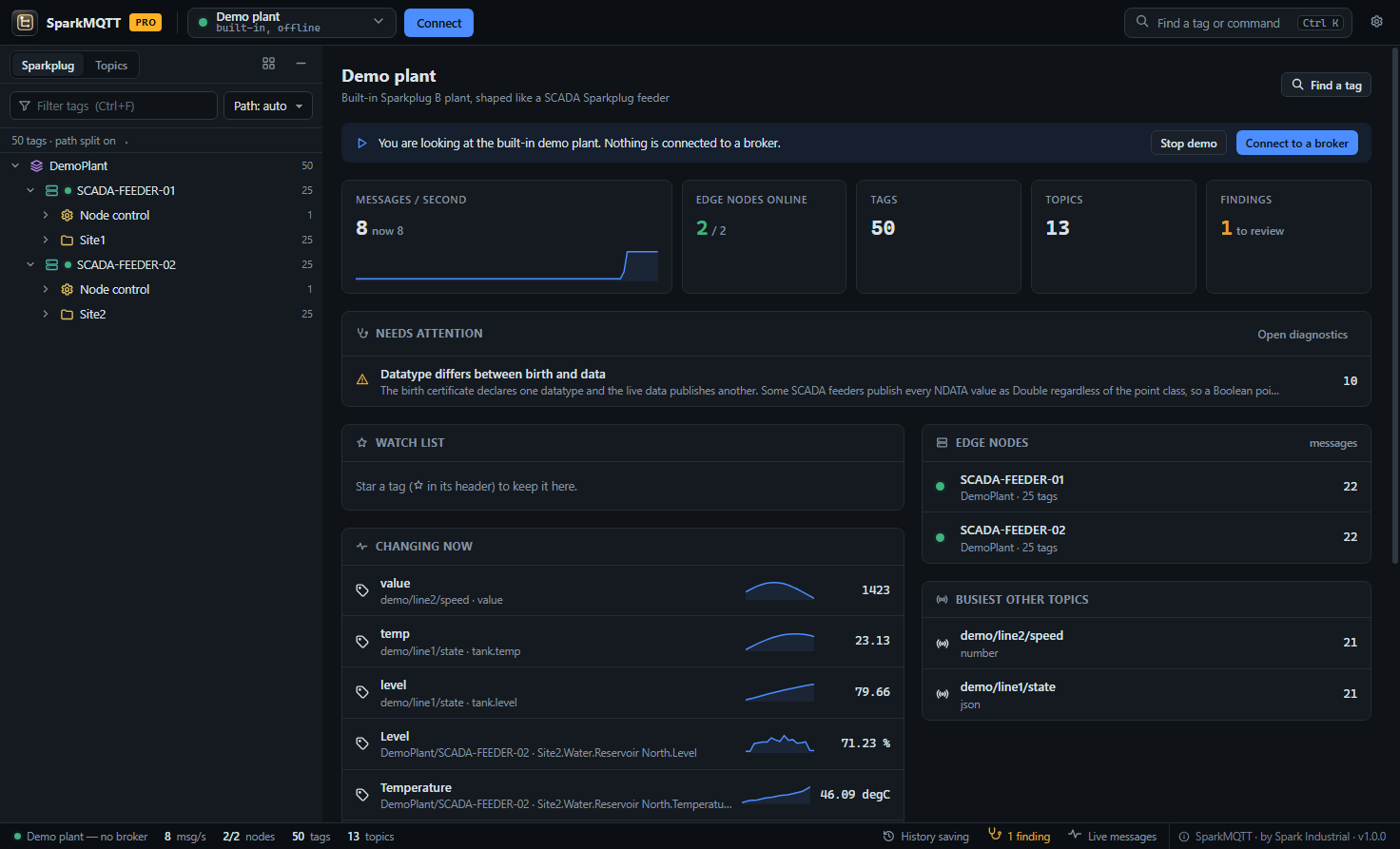
SparkMQTT connects to any MQTT broker and turns its topics — SCADA tags, devices, sensors — into a live, searchable tree with real names, values and units. Working with the devices on your broker has never been this easy.

See Pro features

Windows 10 / 11 / Server · single program, no installer · no account needed

Company PC with application control? Get the installer → It installs to Program Files and does not update itself, so your IT team can approve it once.
SparkMQTT overview: live message rate, edge nodes online, tags changing now with sparklines and a tag tree built from SCADA tag names
No account needed

See what is really on your broker

Point SparkMQTT at a broker and within seconds you are browsing it like a SCADA database — not scrolling through raw messages.

A tree built from your tag names

Full names like Site1.Oil and Gas.Pipeline.Flow become the folder hierarchy your operators already know. Dots, slashes or colons — detected automatically.

Sparkplug B, decoded

Birth and data messages decoded, aliases resolved to real tag names, units and state names applied. Missed a birth? One click asks the edge node to rebirth.

JSON and text, too

Any topic, any payload. Every field of a JSON message becomes its own tag; numbers and text just work. Choose the format per topic when you need to.

Live values, recent history

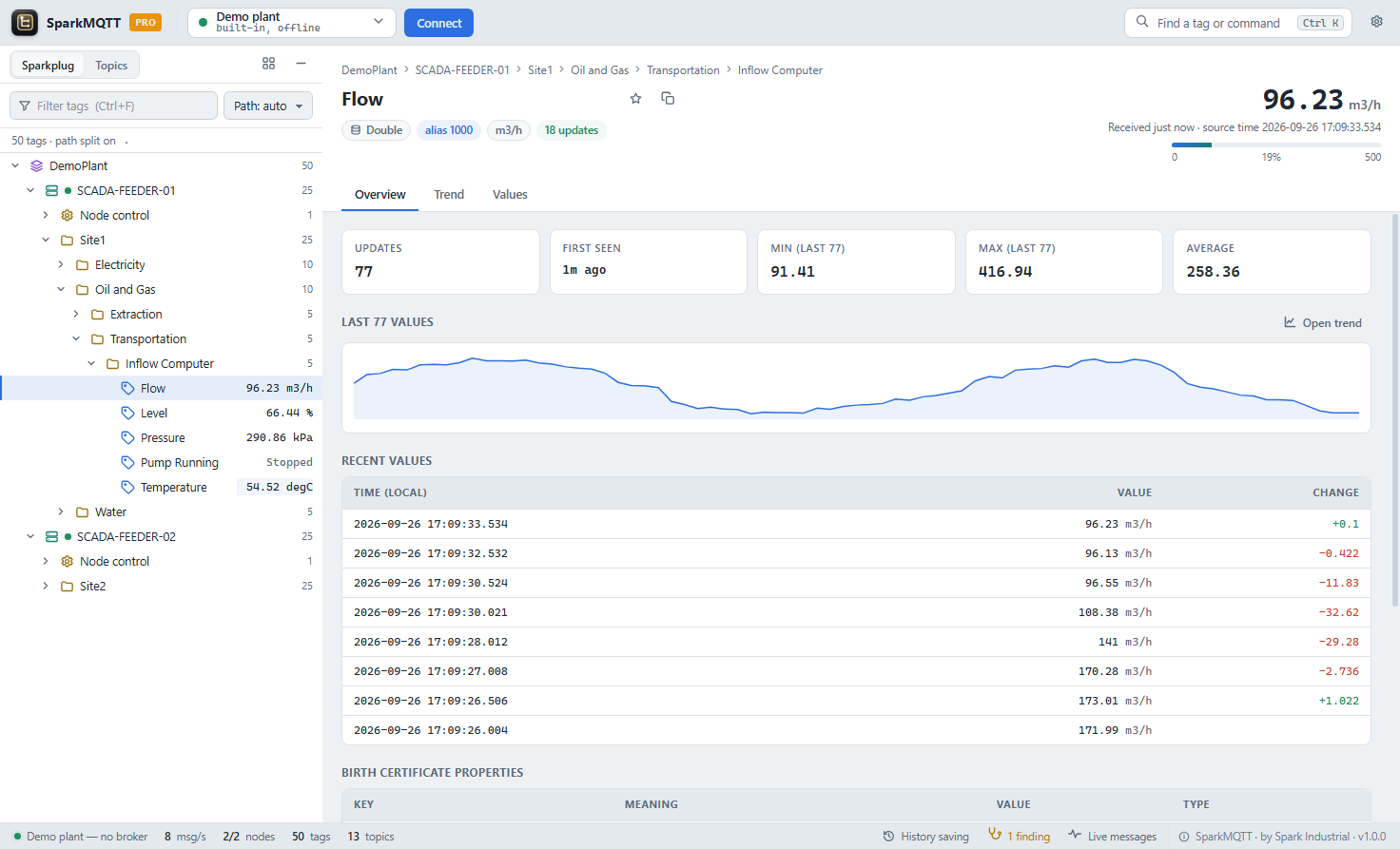
Current value, timestamp, quality and the last 100 values of every tag, with a small trend — so you can see a value move, not just read it.

Find any tag in a keystroke

Press Ctrl K and type part of a name. Filter the tree, star tags to a watch list, and see what is changing right now on the overview.

Problems found for you

Sequence gaps, missed births, datatype mismatches and offline nodes are listed as findings — the answers you would otherwise dig out of a packet capture.

Made for real systems

Works where your devices are

A single Windows program — no installer, no account, no internet needed.

  • Any broker — MQTT over TCP or WebSockets, with TLS and certificates.
  • No internet needed — runs on isolated control networks; Pro activates with a licence file.
  • Acts as the Sparkplug host when your publishers wait for one before sending data.
  • Try it in five seconds — a built-in demo plant, no broker required.
  • Fast at scale — built for tens of thousands of tags.
SparkMQTT tag view in light theme: live value with state name, recent values and birth certificate properties
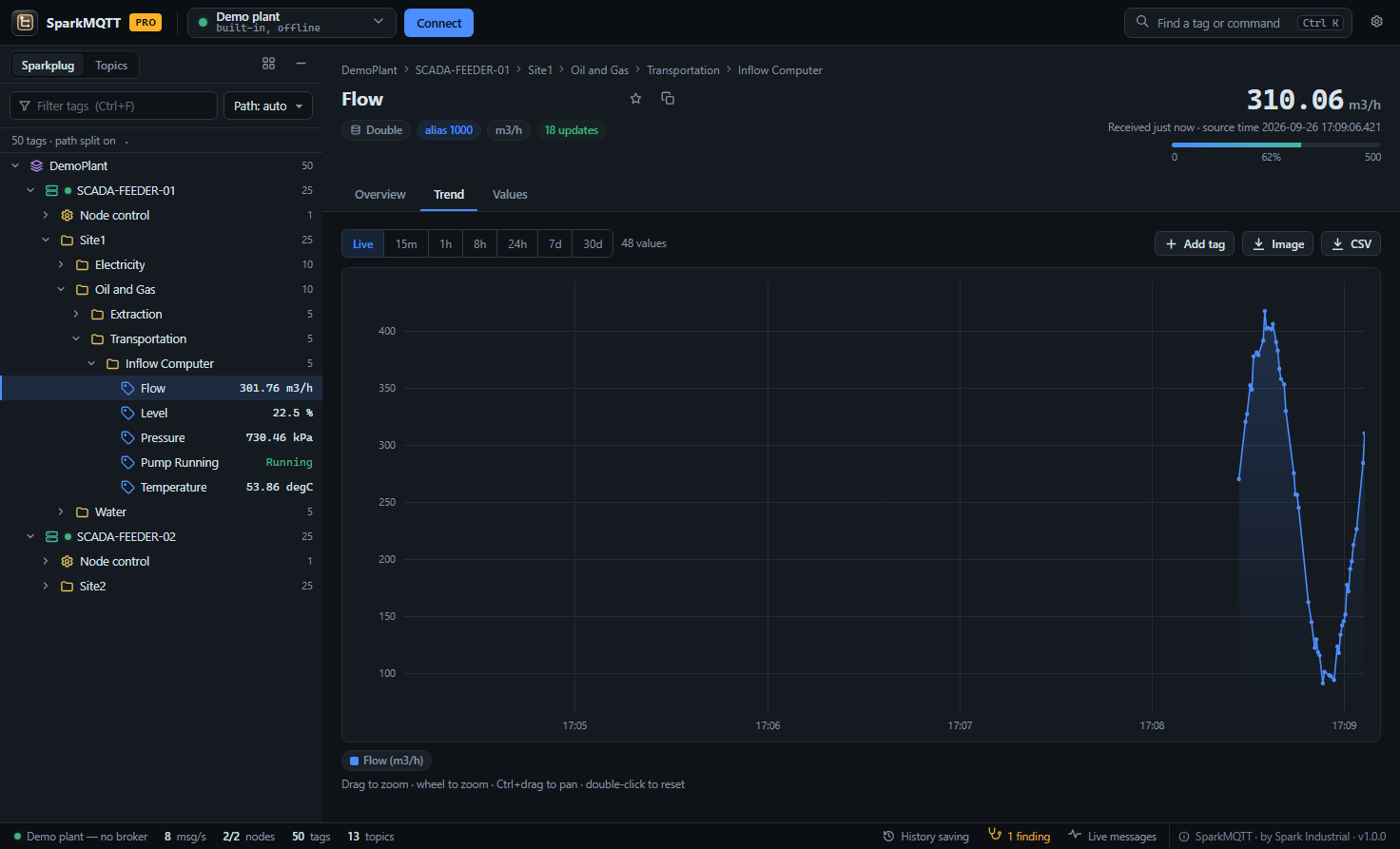
SparkMQTT Pro interactive trend of a flow tag with live values, zoom and CSV export
SparkMQTT Pro

Built for industrial automation

When you need more than a look, Pro turns SparkMQTT into a data tool.

  • Save MQTT messages to SQL — capture received values into your own database with your INSERT statement or stored procedure. Made for capture and analysis at moderate message rates; it is not a historian feed.
  • Saved history — every received value kept on disk, not just the last 100.
  • Interactive trends — zoom, pan, compare up to six tags, from live to 30 days.
  • CSV export of any tag's history.
  • Unlimited watch lists, custom tree rules and publishing commands.
Pricing

Simple pricing

SparkMQTT Free

$0
forever · no account
  • Live tree of topics and tags
  • Sparkplug B, JSON and text
  • Last 100 values of every tag
  • Diagnostics, demo plant, watch list (5)

SparkMQTT Pro

$149
per computer per year
  • Everything in the standard edition
  • Save values to your SQL database
  • Saved history, trends and CSV export
  • Unlimited watch lists, tree rules, publish

Start 14-day trial Buy Pro

The trial needs an account with two-factor authentication; no payment details. Activate online in one click, or download a licence key for an offline computer.

Using SCADA Suite? SparkMQTT is included — Pro comes with a suite licence that includes it.

Get started

Up and running in a minute

Download

One small program. No installer, no account, no admin rights.

Connect

Enter your broker address — or start the built-in demo plant to look around first.

Browse

Open folders, search by name, and watch values change live.

FAQ

Questions

Do I need a licence to use SparkMQTT?

No. Download it and use it with no account and no time limit. SparkMQTT Pro adds saved history, trends, CSV export and writing values to your SQL database for a yearly subscription.

Does SparkMQTT decode Sparkplug B?

Yes. Birth and data messages are decoded and aliases are resolved against the birth certificates, so every value shows its real tag name. Missed a birth? One click asks the edge node to rebirth.

Can it save MQTT messages to a SQL database?

Yes, with Pro. Values are written to your own SQL database through ODBC, with an INSERT statement or a stored procedure you choose. It is made for capture and analysis at moderate message rates, not as a historian feed: if the database is unreachable for long enough, the oldest queued values are dropped.

Does it need internet access or an installer?

No. SparkMQTT is a single Windows program and runs without an internet connection. Pro activates with a licence file, so it also works on isolated control networks.

Which brokers and payloads does it support?

Any MQTT 3.1.1 broker over TCP or WebSockets, with or without TLS. Payloads can be Sparkplug B, JSON, plain text or numbers, configurable per topic.